
Quick Summary
| Key Insight | What You Need to Know |
|---|---|
| What Is Cross-Border Ecommerce | What Is Cross-Border Ecommerce and Why It Matters for Growing Brands |
| How to Choose an Affordable Ecommerce Solution for Cross-Border Sales Key Features to Prioritize Total Cost of Ownership (TCO) Analysis | What You'll Actually Pay |
| Key Features to Prioritize | Key Features to Prioritize |
| Total Cost of Ownership (TCO) Analysis | What You'll Actually Pay |
| 1. Marqetir, Best for | 1. Marqetir, Best for Marketplace Automation Without Listing Fees |
| 2. Shopify Markets, Best | 2. Shopify Markets, Best All-in-One Global Storefront |
Table of Contents
- What Is Cross-Border Ecommerce and Why It Matters for Growing Brands
- How to Choose an Affordable Ecommerce Solution for Cross-Border Sales
- 7 Best Affordable Ecommerce Solutions for Cross-Border Sales Compared
- 1. Marqetir, Best for Marketplace Automation Without Listing Fees
- 2. Shopify Markets, Best All-in-One Global Storefront
- 3. WooCommerce, Best for Budget-Conscious Tech-Savvy Sellers
- 4. BigCommerce, Best for Mid-Market Multi-Storefront Needs
- 5. Ecwid by Lightspeed, Best Free Starting Point for Small Sellers
- 6. Amazon Global Selling, Best for Instant International Traffic
- 7. Wix eCommerce, Best for Visual Simplicity and Localized Storefronts
- Platform Comparison Table: Features, Pricing, and Cross-Border Fit
- Ecommerce Localization Tools That Remove the Language Barrier
- Cross-Border Tax Automation Software: Handling VAT, GST, and Duties
- Key Challenges of Cross-Border Trade and How to Overcome Them
- Which Solution Should You Pick? A Decision Framework
- Conclusion
Last Updated: June 2, 2026
Selling across borders has never been more accessible, yet choosing the right affordable ecommerce solution for cross border sales remains one of the most consequential decisions a growing brand can make. Get it wrong and you're buried in compliance headaches, runaway logistics costs, and checkout abandonment from shoppers who can't pay in their currency. Get it right and you're reaching international markets with minimal overhead. This guide from Marqetir compares the seven best platforms for 2026, covers what you'll actually pay, and gives you a decision framework you can use today.
Here's what most guides get wrong: they treat "affordable" as synonymous with "cheapest monthly fee." The real cost of a cross-border platform includes transaction fees, currency conversion margins, tax automation add-ons, and the engineering hours you spend patching gaps. Below, we break down the total cost of ownership for each option so you're comparing apples to apples.
Cross-border ecommerce is the practice of selling products to customers in countries outside your own, handling international payments, logistics, regulatory compliance, and localized shopping experiences through a single digital infrastructure. According to Statista's global ecommerce market outlook, cross-border transactions represent one of the fastest-growing segments of global retail, driven by rising consumer confidence in international purchases and improvements in logistics fulfillment networks.
The five strategies we cover in the localization and tax sections alone have helped European merchants cut their compliance overhead significantly while maintaining frictionless checkout experiences for international buyers.
What Is Cross-Border Ecommerce and Why It Matters for Growing Brands
Cross-border ecommerce is the sale of goods or services to customers in foreign markets through digital channels, requiring sellers to manage currency conversion, duties and taxes, regulatory compliance, and international logistics from a single operational base.
The opportunity is real, but so is the complexity. A merchant selling from Germany to the UK, US, and Australia simultaneously faces three different VAT/GST regimes, multiple payment gateway requirements, and carrier networks with wildly different reliability profiles. Brands that treat global expansion as a simple "flip a switch" exercise typically hit a wall at customs clearance or abandoned carts caused by unfamiliar payment methods.
What separates brands that scale internationally from those that stall comes down to infrastructure choices made early. Picking a platform with native multi-language support and built-in tax automation is not a luxury. It is the difference between a scalable operation and one that requires a full-time compliance hire for every new market.
The other thing most guides miss: B2B vs B2C dynamics matter enormously here. B2B cross-border transactions often involve different tax treatment, longer payment terms, and higher-value shipments that change the economics of every platform on this list. Know which model you're running before you commit.
How to Choose an Affordable Ecommerce Solution for Cross-Border Sales
Choosing the right affordable ecommerce solution for cross border sales starts with mapping your actual operational requirements before looking at pricing pages.
Key Features to Prioritize
Not every feature matters equally. Here is what to prioritize in 2026:
- Multi-currency checkout: Shoppers convert at higher rates when they see prices in their local currency. This is non-negotiable for any serious cross-border strategy.
- Native tax automation: VAT/GST compliance across the EU, UK, and US requires real-time rate calculation at checkout. Platforms that rely entirely on third-party plugins for this introduce failure points.
- Localized payment gateways: iDEAL in the Netherlands, Klarna in Germany, and BACS in the UK are not optional extras. They are expected by local shoppers.
- Multi-language support: A localized browsing experience goes beyond translation. It includes date formats, address fields, and culturally appropriate content.
- Shipping and returns management: International returns are expensive. Platforms that integrate with global carriers and offer automated returns workflows reduce operational drag.
- Marketplace connectivity: For brands selling on Amazon or eBay alongside their own storefront, real-time inventory sync prevents overselling across channels.
Total Cost of Ownership (TCO) Analysis: What You'll Actually Pay
The subscription fee is the smallest line item for most cross-border sellers. The real TCO calculation looks like this:
| Cost Component | Low Estimate | High Estimate | Notes |
|---|---|---|---|
| Platform subscription | $19/mo | $299/mo | Varies by plan |
| Transaction fees | 0% | 2% per order | Shopify charges unless using Shopify Payments |
| Currency conversion margin | 0.5% | 2% | Varies by payment processor |
| Tax automation tool | $0 | $99/mo | Some platforms include this natively |
| Translation/localization | $0 | $200/mo | Smartling and similar tools |
| Marketplace listing fees | $0 | $40/mo | Marqetir eliminates these entirely |
| International carrier integration | $0 | $50/mo | Depends on shipping volume |
A seller doing 500 orders per month across three countries can easily spend three times their platform subscription on ancillary tools. Running this calculation before committing to a platform is not optional. It is the most important step in the evaluation process.
7 Best Affordable Ecommerce Solutions for Cross-Border Sales Compared
The platforms below represent the strongest options for international selling in 2026, ranked by their overall value for cross-border operations. Each has a distinct strength, and the right choice depends on your catalog type, technical capacity, and target markets.
 ecommerce dashboard, surrounded by cardboard shipping boxes with international destination labels, and a large world map pinned to the wall behind them, warm office lighting](https://cdn.grandranker.com/articles/affordable-ecommerce-solutions-for-cross-border-sales-2026-content-1-1780362591.jpg)
1. Marqetir, Best for Marketplace Automation Without Listing Fees
Marqetir is an AI-powered SaaS platform built specifically for European merchants who want to automate cross-border sales across major marketplaces like Amazon and eBay without paying per-listing fees or managing manual processes.
The core value proposition is speed and accuracy. Marqetir transforms your existing Shopify or WooCommerce product data into marketplace-optimized listings with smart pricing and compliance built in. The platform achieves a 99% first-time listing acceptance rate, which means you are not burning hours fixing rejected listings before your products go live.
What makes Marqetir stand out from every other option on this list: it handles real-time inventory synchronization across all connected channels simultaneously. Zero overselling is not a marketing claim. It is a technical architecture decision that prevents the single most damaging event for a cross-border seller's reputation.
Pros:
- AI listing transformation from existing store data
- Real-time inventory sync prevents overselling
- Smart pricing automation for international markets
- Compliance on autopilot across marketplaces
- No listing fees on any plan
Cons:
- Focused on marketplace automation rather than standalone storefront building
Pricing: Free plan available. Free trial included. See the Marqetir pricing page for full plan details.
Best for: European merchants selling on Amazon and eBay who want to automate cross-border selling in minutes without the overhead of manual listing management.
2. Shopify Markets, Best All-in-One Global Storefront
Shopify is the most complete out-of-the-box global ecommerce platform available in 2026. Its Shopify Markets feature handles international pricing, localized domains, language routing, and automatic currency conversion from a single dashboard.

The Managed Markets add-on takes compliance further by handling duties, taxes, and import documentation on behalf of the merchant. This is genuinely useful for brands entering the EU or UK without in-house compliance expertise.
Pros:
- Extensive app ecosystem for logistics and marketing
- User-friendly interface with strong global infrastructure
- 100+ payment gateway integrations for local payment methods
Cons:
- Transaction fees apply on all plans unless using Shopify Payments, which is not available in every country
Pricing: Starts at $39/month. Transaction fees add meaningful cost at volume.
Best for: Businesses of all sizes wanting a scalable, all-in-one global solution with minimal technical setup.
3. WooCommerce, Best for Budget-Conscious Tech-Savvy Sellers
WooCommerce's open-source model means the platform itself costs nothing. The real cost is time: configuring multi-currency plugins, setting up tax automation through tools like Avalara, and managing your own hosting and security.
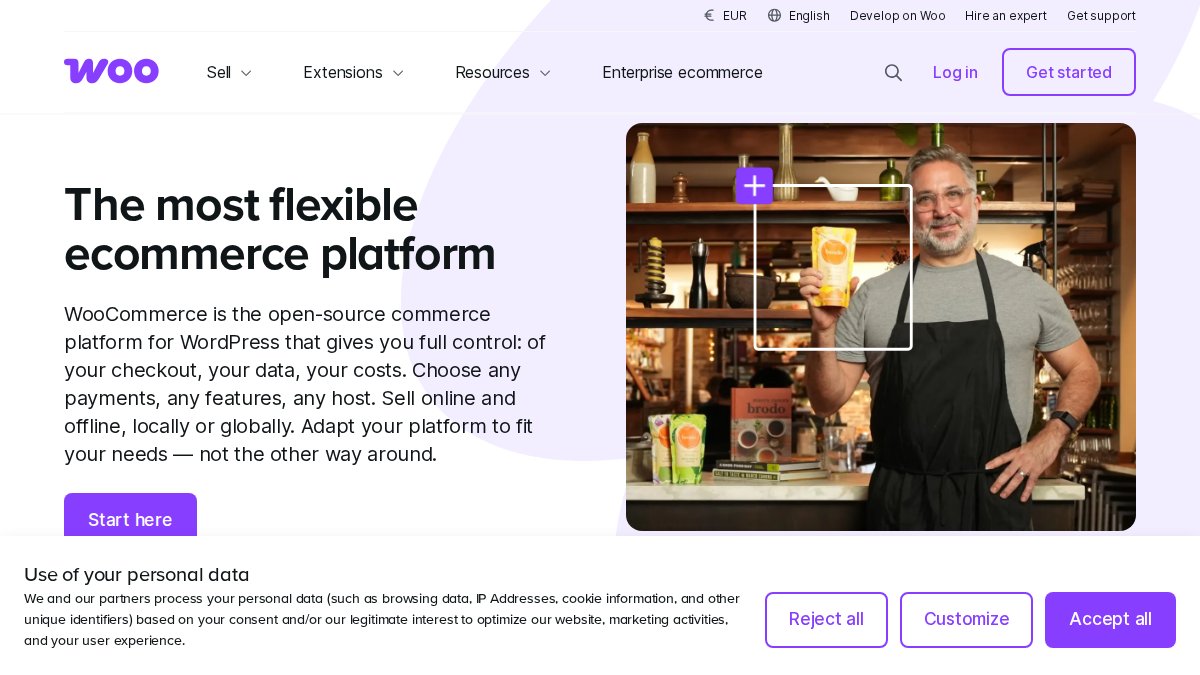
For developers and technically capable merchants, this is genuinely the most flexible cross-border solution available. Country-based pricing plugins, custom checkout flows, and deep API access make WooCommerce adaptable to almost any international selling scenario.
Pros:
- No platform-imposed transaction fees
- Highly customizable for unique cross-border workflows
- Full control over hosting environment and code
Cons:
- Requires ongoing technical maintenance and manual security management
- Cross-border feature set depends entirely on plugin quality and compatibility
Pricing: Free core plugin. Hosting and extensions add cost. Budget $50-150/month for a properly configured international store.
Best for: Tech-savvy merchants who want full control and are willing to invest setup time in exchange for lower recurring platform costs.
4. BigCommerce, Best for Mid-Market Multi-Storefront Needs
BigCommerce takes a different philosophy from Shopify: more built-in, less app-dependent. Its multi-storefront functionality lets you manage separate regional stores from one dashboard, each with its own currency, language, and pricing rules.
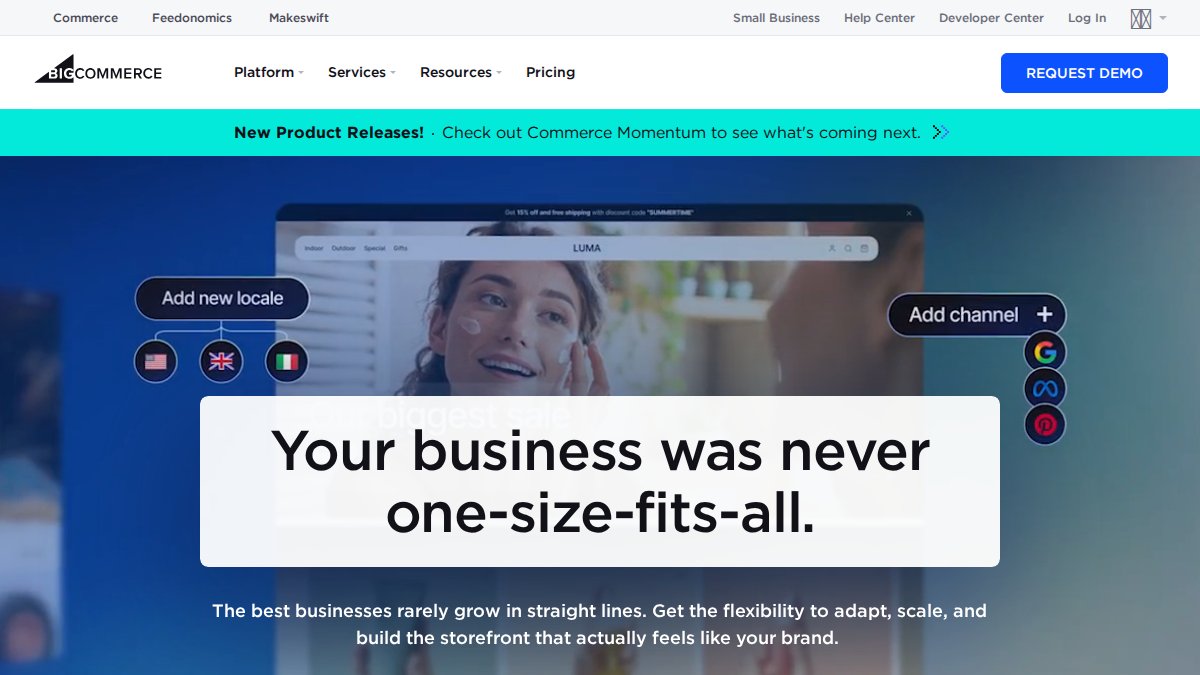
Critically, BigCommerce charges no additional transaction fees on any plan. For high-volume sellers, this alone can justify the subscription cost over competitors.
Pros:
- strong native features reduce reliance on third-party apps
- Excellent scalability for high-volume international businesses
- Strong API support for complex integrations
Cons:
- Steeper learning curve than simpler builders
- Less intuitive for non-technical merchants
Pricing: Starts at $39/month. No transaction fees on any plan.
Best for: Mid-market and growing brands that need advanced international flexibility without per-transaction overhead.
5. Ecwid by Lightspeed, Best Free Starting Point for Small Sellers
Ecwid's free tier is the most generous entry point on this list for small businesses testing international waters. You can add a functional store to any existing website, sell on social media, and connect to marketplaces without paying anything until you need advanced features.
Pros:
- Extremely easy to set up and integrate with existing sites
- No transaction fees on any plan
- Multi-channel selling on social media and marketplaces
Cons:
- Limited design customization compared to dedicated builders
- Advanced cross-border features require paid plans
Pricing: Free tier available. Paid plans start at approximately $19/month.
Best for: Small businesses with an existing website who want to add international selling capability quickly without upfront investment.
6. Amazon Global Selling, Best for Instant International Traffic
Amazon Global Selling gives you immediate access to millions of international customers without building your own storefront. Fulfillment by Amazon handles the logistics complexity, including customs documentation and last-mile delivery in most markets.
Pros:
- Instant access to an established international customer base
- Amazon's logistics network handles cross-border fulfillment
Cons:
- High competition and very limited brand control
- Referral fees and FBA costs add up quickly
Pricing: $39.99/month for the Professional plan, plus referral fees and FBA costs per unit.
Best for: Brands wanting to tap into existing global traffic without building their own international infrastructure.
:::pro tip Pair Amazon Global Selling with Marqetir's AI listing automation to publish and sync your Amazon marketplace listings without manual effort. The combination gives you Amazon's traffic reach with none of the listing management overhead. :::
7. Wix eCommerce, Best for Visual Simplicity and Localized Storefronts
Wix eCommerce is the most accessible option for non-technical merchants who prioritize design control. Its Wix Multilingual feature supports translation into 180+ languages, and Avalara integration handles automatic tax calculation at checkout.
Pros:
- Very intuitive drag-and-drop design process
- All-in-one platform includes hosting and security
- Multi-currency support for localized checkout
Cons:
- Less suited for large catalogs or complex enterprise-level operations
Pricing: Starts at $27/month.
Best for: Small businesses and creators who need a simple, visual way to start selling globally without technical complexity.
Platform Comparison Table: Features, Pricing, and Cross-Border Fit
| Platform | Starting Price | Free Tier | Transaction Fees | Multi-Currency | Tax Automation | Best For |
|---|---|---|---|---|---|---|
| Marqetir | Free trial | Yes | No listing fees | Via marketplaces | Compliance autopilot | Marketplace automation |
| Shopify Markets | $39/mo | No | Yes (unless Shopify Payments) | Native | Via Managed Markets | All-in-one storefront |
| WooCommerce | Free + hosting | Yes | No | Via plugins | Via Avalara plugin | Tech-savvy builders |
| BigCommerce | $39/mo | No | None | Native | Via integrations | Mid-market multi-storefront |
| Ecwid by Lightspeed | Free | Yes | No | Limited on free | Automated | Small sellers |
| Amazon Global Selling | $39.99/mo | No | Referral fees | Via Amazon | Handled by Amazon | Traffic-first brands |
| Wix eCommerce | $27/mo | No | No | Native | Via Avalara | Visual-first creators |
Ecommerce Localization Tools That Remove the Language Barrier
Localization is not translation. This distinction matters more than most sellers realize.
Translation converts words. Localization adapts the entire shopping experience: currency display, date formats, address field order, culturally appropriate imagery, and payment methods that locals actually use. A German shopper expects to see prices in euros with commas as decimal separators. A Japanese shopper expects a different visual hierarchy entirely. Getting this wrong signals "foreign seller" immediately and crushes conversion rates.
But here is what almost no localization guide covers: the localization requirements are not uniform across regions, and the cost and effort of getting them right varies dramatically by market. The section below goes beyond tool lists to give you a market-by-market localization checklist, the kind of specificity that generic guides skip entirely.
Localization Tools Worth Knowing in 2026
- Smartling: A professional translation management platform with Shopify integration and both human and AI-powered translation services. The quality is significantly higher than machine translation alone. Best for growing brands that need context-aware localization at scale, particularly for markets where mistranslation carries legal or cultural risk (pharmaceutical, food, financial products).
- Wix Multilingual: Built into Wix eCommerce, supporting 180+ languages with a visual editor. Excellent for small catalogs where you need fast deployment without a translation workflow.
- Shopify Markets language routing: Automatically serves localized content based on visitor location. Works well for straightforward multi-language needs but does not handle professional translation, it routes, it does not translate.
- Price Based on Country for WooCommerce: A plugin that handles automatic visitor geolocation and local currency display. The free version covers most small seller needs. Pair it with WPML for full translation management on a WooCommerce store.
- Weglot: A lightweight translation layer that sits on top of any platform and handles both automatic and human-reviewed translation. Particularly useful for merchants who want to localize a Shopify or WooCommerce store without rebuilding their theme.
According to Common Sense Advisory's research on localization and purchasing behavior, buyers are significantly more likely to complete a purchase when product information is presented in their native language. This is not a minor conversion optimization. It is foundational to any serious cross-border strategy.
Regional-Specific Localization Checklist: EU, APAC, and North America
This is the section competitors do not write. Generic guides tell you to "localize your store." Here is what that actually means, market by market.
European Union (Germany, France, Netherlands, Spain)
The EU is not a single market from a localization perspective. German shoppers have measurably different trust signals than French or Dutch shoppers, even within the same regulatory framework.
- Germany: Expect shoppers to look for an Impressum (legal disclosure page) before trusting an unfamiliar store. Missing this is an immediate trust failure. Invoice-based payment (Kauf auf Rechnung) is expected by a significant portion of German online shoppers, Klarna's Pay Later product is the most common implementation. Prices must display gross (VAT-inclusive) amounts by law.
- France: French consumer law requires a 14-day right of withdrawal clearly stated at checkout. Product descriptions must be in French for goods sold to French consumers under the Toubon Law. Carte Bancaire (CB) is the dominant card network, not Visa or Mastercard, your payment gateway must support it.
- Netherlands: iDEAL is the dominant payment method, used in the majority of Dutch online transactions. A store that does not offer iDEAL will see materially lower conversion from Dutch traffic. Dutch shoppers also expect PostNL as a delivery option, unfamiliar carriers reduce checkout completion.
- Spain: Bizum is growing rapidly as a mobile payment method. Spanish shoppers have strong regional identity, Catalan-language content for Catalonia-targeted campaigns outperforms generic Spanish-language content in A/B tests run by regional merchants.
Asia-Pacific (Japan, Australia, Southeast Asia)
APAC is the region where generic localization advice fails most visibly because the markets are so structurally different from each other.
- Japan: Japanese ecommerce UI conventions differ significantly from Western norms, denser information layouts, more product detail above the fold, and trust signals like certification badges carry more weight than brand storytelling. Payment by convenience store (konbini) remains common. Japan Post is the expected carrier for most consumer goods. Product descriptions must be accurate to a degree that Western sellers often underestimate, returns driven by description mismatch are a significant compliance and reputation risk.
- Australia: GST (10%) applies to all goods sold to Australian consumers, including digital goods, regardless of where the seller is based, once the seller exceeds the AUD 75,000 registration threshold. Australia Post is the dominant carrier expectation. English-language content is sufficient, but Australian English spelling and idiom matter for trust ("colour" not "color", prices in AUD displayed prominently).
- Southeast Asia (Indonesia, Thailand, Vietnam): Mobile-first checkout is not optional, desktop conversion rates in these markets are significantly lower than mobile. Local wallets (GoPay, TrueMoney, MoMo) often outperform card payments. Cash on delivery (COD) remains a meaningful payment method in Indonesia and Vietnam for first-time buyers from unfamiliar sellers.
North America (United States, Canada)
- United States: English-language content is table stakes. The localization work in the US is less about language and more about trust signals: clear return policies, US-based customer service contact information, and domestic shipping timelines. Shoppers are sensitive to delivery estimates, a vague "7-21 business days" from an international seller will lose to a domestic competitor offering 2-day shipping.
- Canada: Canada is bilingual by law in federal contexts, and Quebec has specific French-language requirements under the Charter of the French Language (Bill 101) for businesses operating in the province. Prices should display in CAD. Canada Post integration is expected for domestic-feeling delivery.
The Practical Localization Sequencing Strategy
The mistake most sellers make is trying to fully localize every market before they have revenue data to justify the investment. The better approach:
- Phase 1, Automated foundation: Deploy automatic currency conversion and machine-translated store content for all target markets. This costs almost nothing and captures early demand.
- Phase 2, High-value market depth: Once you have 60-90 days of traffic and conversion data, identify your top two or three markets by revenue. Invest in professional localization (Smartling or a native-speaker agency) for those markets only.
- Phase 3, Payment method expansion: Add local payment methods (iDEAL, Klarna, Bizum, konbini) for your proven markets. This is where conversion rate lifts are most measurable and most directly attributable.
- Phase 4, Compliance hardening: Add market-specific legal pages (Impressum for Germany, withdrawal rights for EU, French-language compliance for Quebec) once you are generating enough revenue to justify the legal review cost.
Do not over-localize markets that have not proven their value. The sequencing above lets you validate demand cheaply before committing to the full localization investment.
Cross-Border Tax Automation Software: Handling VAT, GST, and Duties
Cross-border tax automation software handles the calculation, collection, and remittance of consumption taxes like VAT, GST, and import duties in real time at checkout, preventing compliance failures that can result in fines or marketplace suspension.
Getting this wrong is expensive in ways that compound. Undercharging VAT means you absorb the liability. Overcharging alienates customers. Failing to register in a jurisdiction once you cross the threshold triggers penalties. Automation is not optional for any seller operating across more than two tax regimes.
The main options:
- Avalara: Integrates with WooCommerce, BigCommerce, and Wix. Handles VAT, GST, and US sales tax with real-time rate calculation. The industry standard for mid-market sellers.
- Shopify Managed Markets: Handles duties and taxes as part of the Shopify ecosystem. Convenient for merchants already on Shopify.
- TaxJar: Strong for US sales tax, with some international coverage. Better suited for US-centric sellers expanding internationally.
Regional-Specific Compliance Deep Dive: EU, UK, and US Rules
European Union: The EU's Import One Stop Shop (IOSS) scheme allows non-EU sellers to collect VAT at checkout on orders under €150 and remit it through a single monthly filing. Without IOSS registration, customs will charge VAT to the recipient at delivery, causing surprise charges that drive returns and negative reviews. As documented in European Commission guidance on VAT for ecommerce, the IOSS threshold applies per consignment, not per order, which matters for bundled shipments.
United Kingdom: Post-Brexit, the UK operates its own VAT regime separately from the EU. Sellers shipping to UK customers must register for UK VAT once they exceed the registration threshold or use a marketplace that handles this on their behalf. Failing to account for this is one of the most common compliance errors for European merchants expanding to the UK.
United States: The US has no federal sales tax. Instead, each state sets its own rate and nexus rules. Following the South Dakota v. Wayfair Supreme Court decision, economic nexus thresholds mean that sellers can trigger tax obligations in a state without a physical presence there. For most small international sellers, US sales tax complexity is best handled through Avalara or TaxJar from day one.
Key Challenges of Cross-Border Trade and How to Overcome Them
The operational risks in cross-border trade are real, but they are predictable. Most sellers who struggle internationally do so because they underestimated one of three areas: logistics costs, payment failure rates, or compliance gaps. And the sellers who struggle most are not new entrants, they are established domestic merchants who try to bolt international capability onto a store that was never architected for it.
This section covers the standard challenges every guide mentions, and then goes further: it gives you the platform migration playbook that no competitor has written, the step-by-step process for transitioning an existing domestic store to a cross-border model without downtime or SEO damage.

Logistics, Shipping, and Returns Across Borders
International shipping costs can easily exceed product margins on low-value items. The math matters: a €15 product shipped from Germany to the US might cost €12 to deliver, leaving almost no room for returns or customs delays.
Practical approaches:
- Use regional fulfillment centers for high-volume markets. Storing inventory closer to your customers reduces shipping costs and delivery times. Third-party logistics providers (3PLs) with international networks, such as ShipBob, which operates fulfillment centers across the US, EU, Canada, and Australia, allow you to ship domestically within each region rather than internationally for every order.
- Integrate with multi-carrier platforms like ShipStation or Sendcloud to compare rates across carriers dynamically. Sendcloud is particularly strong for European merchants, with native integrations for DHL, DPD, PostNL, and GLS.
- Set clear returns policies by market. A flat-rate returns label cost built into your pricing is better than absorbing unpredictable reverse logistics fees. EU consumer law mandates a 14-day right of withdrawal, your returns policy must reflect this for EU customers regardless of where your business is registered.
- Communicate customs delays proactively. Shoppers who know a package is in customs clearance are far less likely to file a dispute than those who receive no communication. Automated post-purchase email sequences triggered by carrier status updates reduce support ticket volume meaningfully.
- Understand Delivered Duty Paid (DDP) vs. Delivered Duty Unpaid (DDU). Shipping DDU means the customer pays duties at delivery, a surprise charge that drives returns and negative reviews. DDP means you collect duties at checkout and remit them. For orders under €150 to EU customers, the IOSS scheme enables DDP collection at checkout. For higher-value orders, you need a customs broker or a platform that handles this natively.
Payment Gateways and Currency Conversion
Payment failure is the most silent killer of international conversion rates. A shopper in the Netherlands who cannot pay with iDEAL will not switch to a credit card. They will leave.
The cross-border payment stack that actually works:
- Accept local payment methods in each target market, not just Visa and Mastercard. The dominant local methods by region: iDEAL (Netherlands), Klarna (Germany, Sweden, Austria), Bancontact (Belgium), Carte Bancaire (France), BACS/open banking (UK), Bizum (Spain), PIX (Brazil), UPI (India).
- Use a payment gateway with transparent currency conversion margins. Some processors take up to 3% on currency conversion without disclosing it clearly in their pricing pages. Stripe, Adyen, and Mollie all publish their FX margins explicitly, use this as a selection criterion, not an afterthought.
- Display prices in local currency from the first page view, not just at checkout. Shoppers who see a foreign currency price at checkout experience a trust rupture that is hard to recover from. Geolocation-based currency switching on page load is the standard implementation.
- Consider a multi-currency merchant account if your volume justifies it. Holding balances in local currencies and settling periodically reduces your exposure to FX volatility compared to converting every transaction at the point of sale.
According to Stripe's guide to international payment methods, offering local payment options in a new market can increase conversion rates meaningfully compared to card-only checkout. The specific lift varies by market, but the direction is consistent across every major geography.
Platform Migration: How to Transition Your Domestic Store to Cross-Border Without Downtime
This is the challenge that no competitor covers in any useful depth. Most guides tell you which platform to use. None of them tell you how to move your existing store to a cross-border model without breaking your SEO, losing your order history, or taking your store offline during the transition.
Here is the migration playbook for the two most common scenarios.
Scenario A: Adding Cross-Border Capability to an Existing Shopify Store
This is the lowest-risk migration path because you are not changing platforms, you are extending the one you have.
- Audit your current product catalog for international readiness. Check that all product descriptions avoid region-specific references ("free US shipping", "call our US number"), that weights and dimensions are stored in your product data (required for international shipping rate calculation), and that your imagery does not include pricing overlays that would conflict with local currency display.
- Enable Shopify Markets from your dashboard. Assign target countries to markets, configure local currencies, and set international pricing rules. You can do this without touching your existing domestic storefront, Markets runs in parallel.
- Configure international domains or subfolders. Shopify Markets supports both country-code top-level domains (mystore.de) and subfolders (mystore.com/de). Subfolders are generally lower-risk for SEO because they inherit your existing domain authority. Set up hreflang tags correctly, Shopify handles this automatically when you use the Markets domain structure.
- Test checkout end-to-end in each new market before going live. Use a VPN or Shopify's market preview feature to simulate the checkout experience from each target country. Verify that the correct currency, tax calculation, and payment methods appear.
- Redirect and canonical tag audit. If you previously had any international pages (even a currency selector), audit for duplicate content issues before enabling Markets.
Expected timeline: 1-2 weeks for a clean store with fewer than 500 SKUs. Add time for catalog cleanup if your product data is inconsistent.
Scenario B: Migrating from WooCommerce to Shopify (or BigCommerce) for Cross-Border Capability
This is the highest-risk migration scenario and the one most likely to cause SEO damage if handled carelessly.
- Export your complete product catalog, customer data, and order history using WooCommerce's built-in export tools or a migration plugin like Cart2Cart or LitExtension. Do this before touching anything else. Verify the export is complete.
- Map your existing URL structure. Every product page, category page, and blog post URL on your WooCommerce store needs a corresponding redirect on the new platform. A spreadsheet mapping old URLs to new URLs is the minimum viable artifact for this step. Missing redirects are the primary cause of post-migration organic traffic drops.
- Implement 301 redirects on day one of launch. Shopify and BigCommerce both support bulk redirect imports via CSV. Upload your redirect map before you point your DNS to the new platform.
- Migrate in a staging environment first. Both Shopify and BigCommerce support development stores. Build and test the entire migrated store, including checkout, tax calculation, and international payment methods, before going live. Never migrate directly to production.
- Schedule the DNS cutover for your lowest-traffic window. Check your analytics for the day and time of week with the lowest traffic (typically early Tuesday or Wednesday morning in your primary market's timezone). Execute the DNS change then. Most DNS propagation completes within 1-4 hours.
- Monitor crawl errors for 30 days post-migration. Use Google Search Console to identify any URLs that are returning 404 errors after migration. These are redirect gaps. Fix them within 48 hours of discovery to minimize ranking impact.
- Do not migrate and redesign simultaneously. The most common migration mistake is treating a platform move as an opportunity to redesign the store at the same time. This makes it impossible to isolate the cause of any post-migration traffic changes. Migrate first, redesign after you have 60 days of stable post-migration data.
Expected timeline for a WooCommerce-to-Shopify migration: 3-6 weeks for a store with 100-500 SKUs, assuming clean product data and no custom functionality that needs to be rebuilt. Budget 6-12 weeks if you have custom checkout flows, complex membership logic, or subscription products.
Scenario C: Adding Marketplace Automation Without Migrating Your Storefront
For merchants who want to expand internationally through Amazon or eBay without touching their existing store, the migration risk drops to near zero. Tools like Marqetir connect to your existing Shopify or WooCommerce store and transform your product data into marketplace-optimized listings automatically. Your storefront stays exactly as it is. Your inventory syncs in real time across channels. This is the lowest-friction path to international marketplace presence for merchants who are not ready for a full platform migration.
Which Solution Should You Pick? A Decision Framework
The best affordable ecommerce solution for cross border sales depends entirely on your starting point, technical capacity, and target markets. Use this framework:
If you already have a Shopify or WooCommerce store and want to sell on Amazon or eBay across Europe: Start with Marqetir. It transforms your existing product data into marketplace-optimized listings automatically, syncs inventory in real time, and requires no listing fees. You can be live on international marketplaces in minutes, not weeks.
If you are building a new storefront from scratch and want maximum global infrastructure: Shopify Markets is the strongest all-in-one option. The Managed Markets add-on handles the compliance complexity that trips up most new international sellers.
If you have technical resources and want to minimize platform costs: WooCommerce with Avalara for tax automation gives you the most flexibility for the lowest recurring platform fee. Budget the time honestly.
If you are a mid-market brand managing multiple regional storefronts: BigCommerce's multi-storefront architecture and zero transaction fees make the TCO calculation compelling at volume.
If you are just testing international demand with minimal investment: Ecwid's free tier or Wix eCommerce at $27/month let you validate a market before committing to a full platform migration.
Platform Migration Consideration: Switching platforms mid-growth is painful. A migration from WooCommerce to Shopify typically involves product data export, URL redirect mapping, payment gateway reconfiguration, and SEO recovery time. The decision you make now is likely to stick for two to three years. Weight that switching cost into your initial platform evaluation, even if the monthly fees look similar.
The decision matrix in short:
| Your Situation | Recommended Solution |
|---|---|
| Existing store, want marketplace automation | Marqetir |
| New store, want all-in-one global platform | Shopify Markets |
| Technical team, want full control | WooCommerce + Avalara |
| High volume, multi-storefront | BigCommerce |
| Small seller, testing international demand | Ecwid or Wix |
| Want instant global traffic | Amazon Global Selling |
Expanding internationally without the right infrastructure leads to a predictable sequence: early sales, then compliance problems, then margin erosion, then a costly platform migration. Marqetir was built to remove that risk for European merchants by automating marketplace listings, syncing inventory in real time across channels, and handling compliance without manual intervention. The 99% first-time listing acceptance rate and zero listing fee model mean you spend less time fixing rejections and more time growing. Start your free trial with Marqetir and get your cross-border listings live today.
Frequently Asked Questions
What is the most affordable way to start cross-border ecommerce?
The most affordable way to start cross-border ecommerce is to use a platform with a free tier or low entry cost, such as Ecwid by Lightspeed (free plan available) or WooCommerce (free plugin, pay only for hosting and extensions). For marketplace-based selling, tools like Marqetir offer a free trial and charge no listing fees, making it a low-risk entry point for European merchants wanting to list on Amazon and eBay across borders.
What are the essential features to look for in a cross-border ecommerce solution?
An affordable ecommerce solution for cross-border sales should include multi-currency support and automatic currency conversion, multi-language capabilities or integrations with ecommerce localization tools, VAT/GST compliance and cross-border tax automation software, real-time inventory synchronization to prevent overselling, and flexible payment gateways that support local payment methods. Logistics and shipping support, plus a frictionless checkout experience for international buyers, are also critical for reducing cart abandonment across markets.
What are the hidden costs of international ecommerce expansion?
Beyond platform subscription fees, the real total cost of ownership for cross-border sales often includes currency conversion fees charged by payment gateways, duties and taxes compliance costs, international shipping and returns handling, translation and localization expenses, and potential transaction fees if you don't use a platform's native payment processor. Platforms like BigCommerce and Ecwid charge no additional transaction fees, which can significantly reduce operational costs at scale compared to solutions that layer on percentage-based fees.
Can I use Shopify for affordable cross-border selling?
Yes, Shopify is a viable affordable ecommerce solution for cross-border sales, especially with Shopify Markets, which centralizes international pricing, languages, and domains. Starting at $39/month, it offers automatic currency conversion and integrates with 100+ payment gateways for local payment methods. The main cost consideration is that transaction fees apply unless you use Shopify Payments. For marketplace-specific selling, pairing Shopify with a tool like Marqetir can automate cross-border listings on Amazon and eBay without extra listing fees.
How do ecommerce localization tools help with cross-border sales?
Ecommerce localization tools go beyond simple translation, they adapt your store's language, currency, pricing, and even product descriptions to match the expectations of buyers in specific international markets. Tools like Wix Multilingual support 180+ languages, while platforms like Smartling offer AI and human-powered translation workflows. Effective localization creates a frictionless checkout experience for international customers, which directly reduces bounce rates and improves conversion in new markets.
This article was written using GrandRanker
Ready to transform social listening into proactive protection?
Marqetir pairs AI-powered moderation with human oversight so you catch threats before they spread.
Frequently Asked Questions
What is the most affordable way to start cross-border ecommerce?
The most affordable way to start cross-border ecommerce is to use a platform with a free tier or low entry cost, such as Ecwid by Lightspeed (free plan available) or WooCommerce (free plugin, pay only for hosting and extensions). For marketplace-based selling, tools like Marqetir offer a free trial and charge no listing fees, making it a low-risk entry point for European merchants wanting to list on Amazon and eBay across borders.
What are the essential features to look for in a cross-border ecommerce solution?
An affordable ecommerce solution for cross-border sales should include multi-currency support and automatic currency conversion, multi-language capabilities or integrations with ecommerce localization tools, VAT/GST compliance and cross-border tax automation software, real-time inventory synchronization to prevent overselling, and flexible payment gateways that support local payment methods. Logistics and shipping support, plus a frictionless checkout experience for international buyers, are also critical for reducing cart abandonment across markets.
What are the hidden costs of international ecommerce expansion?
Beyond platform subscription fees, the real total cost of ownership for cross-border sales often includes currency conversion fees charged by payment gateways, duties and taxes compliance costs, international shipping and returns handling, translation and localization expenses, and potential transaction fees if you don't use a platform's native payment processor. Platforms like BigCommerce and Ecwid charge no additional transaction fees, which can significantly reduce operational costs at scale compared to solutions that layer on percentage-based fees.
Can I use Shopify for affordable cross-border selling?
Yes, Shopify is a viable affordable ecommerce solution for cross-border sales, especially with Shopify Markets, which centralizes international pricing, languages, and domains. Starting at $39/month, it offers automatic currency conversion and integrates with 100+ payment gateways for local payment methods. The main cost consideration is that transaction fees apply unless you use Shopify Payments. For marketplace-specific selling, pairing Shopify with a tool like Marqetir can automate cross-border listings on Amazon and eBay without extra listing fees.
How do ecommerce localization tools help with cross-border sales?
Ecommerce localization tools go beyond simple translation — they adapt your store's language, currency, pricing, and even product descriptions to match the expectations of buyers in specific international markets. Tools like Wix Multilingual support 180+ languages, while platforms like Smartling offer AI and human-powered translation workflows. Effective localization creates a frictionless checkout experience for international customers, which directly reduces bounce rates and improves conversion in new markets.