
Quick Summary
| Key Insight | What You Need to Know |
|---|---|
| The Best Free Amazon | The Best Free Amazon Keyword Research Tools at a Glance |
| 1. Helium 10 (Free | 1. Helium 10 (Free Plan), Industry-Grade Data With Limits |
| 2. Sonar by Perpetua | 2. Sonar by Perpetua, 100% Free With Real Amazon Search Volume |
| 3. SellerApp Free Keyword | 3. SellerApp Free Keyword Tool, No Login Required |
| 4. Keyword Tool Dominator | 4. Keyword Tool Dominator, Long-Tail Discovery From Autocomplete |
| 5. Keyword.io, Multi-Platform Keyword | 5. Keyword.io, Multi-Platform Keyword Generation |
Table of Contents
- The Best Free Amazon Keyword Research Tools at a Glance
- Top Free Amazon Keyword Research Tools Reviewed
- 1. Helium 10 (Free Plan), Industry-Grade Data With Limits
- 2. Sonar by Perpetua, 100% Free With Real Amazon Search Volume
- 3. SellerApp Free Keyword Tool, No Login Required
- 4. Keyword Tool Dominator, Long-Tail Discovery From Autocomplete
- 5. Keyword.io, Multi-Platform Keyword Generation
- 6. Keyword Tool (keywordtool.io), Fast Autocomplete Suggestions
- 7. AMZScout (Free Trial), Beginner-Friendly Niche Research
- 8. Amazon Search Suggestion Expander, Lightweight Chrome Extension
- 9. Amazon Brand Analytics, The Most Accurate Data Available
- How to Do Keyword Research for Amazon FBA Step by Step
- Amazon SEO Strategy for Beginners: Where Keywords Actually Go
- Amazon Keyword Research Best Practices That Move the Needle
- Which Free Amazon Keyword Research Tool Should You Choose?
- Conclusion
Last Updated: May 28, 2026
Finding the best Amazon keyword research tool free of charge is harder than it looks. Most "free" tools either hide the useful data behind a paywall or give you autocomplete suggestions with zero volume context. This guide from Marqetir cuts through the noise and ranks nine tools you can actually use today, explains how to build a keyword research workflow from scratch, and covers where your keywords need to go once you have them.
Here is what most guides get wrong: they treat all free tools as interchangeable. They are not. Some give you real Amazon search data. Others pull from Google Autocomplete and dress it up. The difference matters enormously for your listing performance.
Below, we cover each tool honestly, including its real limitations, and show you exactly how to combine free resources into a workflow that competes with paid subscriptions.
The Best Free Amazon Keyword Research Tools at a Glance
The best Amazon keyword research tool free options in 2026 span three categories: freemium tools with professional-grade data (Helium 10, AMZScout), genuinely free tools with Amazon-native data (Sonar, Amazon Brand Analytics), and lightweight autocomplete scrapers (Keyword Tool Dominator, Keyword.io, Amazon Search Suggestion Expander).
No single free tool does everything. The smart approach is to combine two or three tools that complement each other.
| Tool | Free Tier | Search Volume | Reverse ASIN | Best For |
|---|---|---|---|---|
| Helium 10 | Limited queries | Yes | Yes | Professional research |
| Sonar by Perpetua | Unlimited | Yes | Yes | Amazon-native volume |
| SellerApp | No login needed | Yes | Yes | Fast, no-friction lookups |
| Keyword Tool Dominator | Limited searches | No | No | Long-tail discovery |
| Keyword.io | Unlimited | No | No | Multi-platform lists |
| Keyword Tool (keywordtool.io) | Limited | No (paid) | No | Autocomplete volume |
| AMZScout | Free trial | Yes | Yes | Beginners |
| Search Suggestion Expander | Unlimited | No | No | Manual research |
| Amazon Brand Analytics | Unlimited (brand req.) | Yes | Partial | Most accurate data |
Top Free Amazon Keyword Research Tools Reviewed
A focused e-commerce seller sitting at a desk, laptop showing Amazon Seller Central, a notepad with keyword notes beside them, warm desk lamp lighting the workspace.

1. Helium 10 (Free Plan), Industry-Grade Data With Limits
Helium 10's free plan gives you access to two of the most respected keyword tools in the Amazon seller ecosystem: Magnet for keyword brainstorming and Cerebro for reverse ASIN lookups. The data quality is genuinely excellent. The catch is a strict daily query limit that makes sustained research difficult without upgrading.
For a new seller validating a product idea, the free tier is more than enough. Run your seed keyword through Magnet, identify related terms with real search volume, then drop a competitor ASIN into Cerebro to see what keywords they rank for. That two-step process alone can build a solid initial keyword list.
Pros: Access to industry-leading Magnet and Cerebro tools; excellent educational resources; Chrome extension included.
Cons: Daily query limits are strict and hit quickly during active research sessions.
Best for: New Amazon sellers who need a professional starting point and plan to upgrade as their business scales.
2. Sonar by Perpetua, 100% Free With Real Amazon Search Volume
Sonar is the most underrated free tool on this list. Built by Perpetua, it pulls from a database of millions of real Amazon customer search queries and provides search volume estimates at no cost. There is no hidden upgrade required for volume data.
The reverse ASIN feature is particularly useful. Paste in a competitor's ASIN and Sonar surfaces the keywords Amazon associates with that product. Because the data comes from actual shopper behavior rather than Google Autocomplete, the relevance is meaningfully higher.
One honest limitation: database updates can lag behind paid tools. If a trend emerged in the last few weeks, Sonar may not reflect it yet.
Pros: Completely free; Amazon-native data; reverse ASIN included; search volume estimates.
Cons: Irregular database update schedule compared to paid alternatives.
Best for: Sellers who want a fully free, Amazon-specific research tool with real volume data.
3. SellerApp Free Keyword Tool, No Login Required
SellerApp's free keyword tool is the fastest way to get keyword ideas without creating an account. Enter a seed keyword or ASIN and you receive suggestions alongside search volume, CPC data, and relevancy scores. For quick research sessions, this friction-free access is genuinely valuable.

The CPC data is a useful proxy signal. High CPC keywords attract paid competition, which usually correlates with strong commercial intent. If a keyword shows high CPC and reasonable organic search volume, it deserves a spot in your listing.
Advanced tracking features require a paid plan, but for basic keyword discovery, the free tier holds up well.
Pros: No registration needed; includes CPC and relevancy scores alongside volume.
Cons: Deep tracking and historical data require a paid subscription.
Best for: Sellers who need fast, no-login keyword ideas with basic metrics.
4. Keyword Tool Dominator, Long-Tail Discovery From Autocomplete
Keyword Tool Dominator takes a different approach. Rather than maintaining a keyword database, it simulates real user behavior and extracts live autocomplete suggestions directly from Amazon. The result is a real-time snapshot of what shoppers are actually typing.
The alphabetical and numerical expansion features are where this tool earns its place. Instead of just returning suggestions for "yoga mat," it systematically queries "yoga mat a," "yoga mat b," through to "yoga mat z," then repeats with numbers. This surfaces long-tail phrases that database-driven tools frequently miss.
Pros: Real-time Amazon autocomplete data; excellent for niche long-tail phrases; bulk download available.
Cons: No search volume or CPC data in the free version; limited daily searches.
Best for: Sellers focused on long-tail keyword discovery based on actual shopper search patterns.
5. Keyword.io, Multi-Platform Keyword Generation
Keyword.io supports eleven-plus platforms including Amazon, Google, eBay, and YouTube. For sellers operating across multiple channels, this breadth is genuinely useful. Enter a seed keyword, select Amazon as your platform, and the tool generates a large list of long-tail suggestions instantly.
The interface is minimal and fast. There are no metrics, no volume estimates, and no competitive data. What you get is a large raw list of keyword ideas that you then need to validate elsewhere.
Pros: Completely free; multi-platform support; fast and intuitive; easy export.
Cons: No search volume, CPC, or competitive intelligence data.
Best for: Sellers who want a quick, no-frills way to generate large keyword idea lists for further validation.
6. Keyword Tool (keywordtool.io), Fast Autocomplete Suggestions
Keyword Tool uses Amazon Autocomplete to generate hundreds of long-tail keyword variations from a single seed term. The "Before" and "After" expansion logic is its strongest feature, surfacing phrases like "best yoga mat for beginners" and "extra thick yoga mat" from a single root keyword.
Search volume and CPC data are locked behind the Pro plan, which is a meaningful limitation. The free version gives you the keyword list but not the data to prioritize it. Pair it with Sonar to fill that gap.
Pros: Very fast; generates a large volume of suggestions; clean CSV export.
Cons: Volume and CPC data require a paid upgrade.
Best for: Users who need a reliable, high-volume autocomplete tool for listing optimization.
7. AMZScout (Free Trial), Beginner-Friendly Niche Research
AMZScout offers a time-limited free trial that gives access to its full keyword and product research suite. The reverse ASIN lookup, keyword tracker, and niche difficulty scoring are all available during the trial period.
The niche difficulty score is particularly useful for beginners. It combines demand signals and competition metrics into a single number, helping new sellers avoid niches where they cannot realistically compete. The Chrome extension works directly on Amazon product pages, which keeps research grounded in real marketplace data.
Pros: Beginner-friendly interface; strong niche and competition analysis; Chrome extension included.
Cons: Full access is time-limited; a subscription is required after the trial.
Best for: Beginners who want an all-in-one suite to validate product ideas and keywords before committing to a paid plan.
8. Amazon Search Suggestion Expander, Lightweight Chrome Extension
This Chrome extension enhances the standard Amazon search bar by displaying more autocomplete suggestions than Amazon shows by default. It adds "Before" and "After" variations to every search, revealing keyword patterns that the standard interface hides.
The simplicity is its strength. There is nothing to configure and no account to create. Install the extension, go to Amazon, and start searching. The keyword ideas appear directly in the search bar as you type.
Pros: Extremely simple; surfaces hidden autocomplete suggestions; free with no account required.
Cons: No volume, CPC, or competitive data whatsoever.
Best for: Sellers who prefer manual, high-intent keyword research conducted directly on the Amazon website.
9. Amazon Brand Analytics, The Most Accurate Data Available
Amazon Brand Analytics is the most accurate free Amazon keyword research tool available, full stop. It pulls directly from Amazon's internal database and shows actual shopper search query data alongside click share and conversion share metrics for each keyword.
The Search Query Performance report is particularly valuable. It shows which keywords drive impressions, clicks, and purchases for your own products, and where competitors are capturing that share. No third-party tool can match this accuracy because no third-party tool has access to Amazon's raw data.
The catch is significant: Brand Analytics requires Amazon Brand Registry. If you sell private label products, this is non-negotiable access. If you sell wholesale or resell other brands, you likely cannot use it.
Pros: Most accurate keyword data available; includes conversion and click-through metrics; free for eligible sellers.
Cons: Requires Amazon Brand Registry; not available to resellers or wholesale sellers.
Best for: Brand-registered sellers who want data-driven keyword insights straight from Amazon's own database.
How to Do Keyword Research for Amazon FBA Step by Step
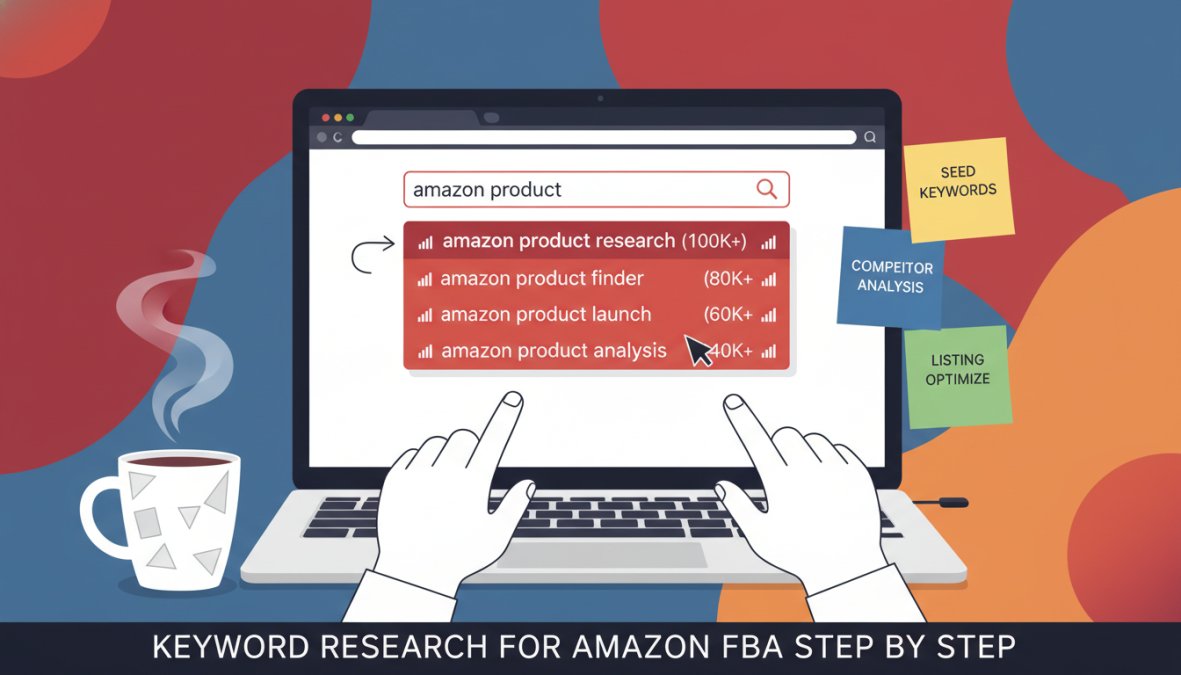
Keyword research for Amazon FBA follows a three-step process: brainstorm seed keywords, run reverse ASIN lookups on competitors, then filter by search volume and relevancy. Skipping any step leaves significant keyword opportunities on the table. What most guides omit are the concrete handoff points between tools, the filtering thresholds that separate actionable keywords from noise, and the realistic keyword counts you should be working with at each stage.
Step 1, Seed Keyword Brainstorming
Start by listing every way a customer might search for your product. Think in terms of the problem being solved, not the product itself. A customer buying a foam roller might search "back pain relief," "post-workout recovery," or "yoga accessories" before they search "foam roller." This problem-first framing consistently surfaces higher-intent keywords that product-first brainstorming misses.
Use Keyword Tool Dominator or Keyword.io to expand each seed term alphabetically. Export the full list without filtering at this stage. The goal is volume, not quality. A typical brainstorm pass on a single product category should yield between 200 and 500 raw keyword ideas before any filtering. If you are generating fewer than 100, your seed list is too narrow.
A common mistake here is starting with your exact product name. Sellers who begin with "silicone baking mat" miss the broader search intent, "non-stick baking sheet alternative," "oven liner," "pastry rolling mat", that drives a meaningful share of category traffic. Aim for at least five to eight distinct seed terms before you move to expansion.
Tool handoff at this stage: Keyword.io for multi-seed expansion (free, no login), then paste the raw list into a spreadsheet. Do not validate volume yet, that happens in Step 3.
Step 2, Reverse ASIN Lookup on Competitors
Identify the top three to five competitors in your niche. Critically, these should be mid-ranking products, listings sitting in positions 5 through 20 in organic search results, not the category bestseller. The bestseller's keyword profile often reflects accumulated review velocity and brand authority rather than keywords you can realistically rank for as a newer or smaller listing. Mid-ranking competitors reveal the keyword surface area that is genuinely contestable.
Run each competitor ASIN through Sonar (free, unlimited) or Helium 10's Cerebro (free tier, limited daily queries). For each ASIN, export the full keyword list. In Sonar, sort by search volume descending and note the top 30 to 50 keywords per competitor. In Cerebro, filter for keywords where the competitor ranks in the top 30 organic positions, keywords where they rank on page 3 or deeper are unlikely to be driving meaningful traffic.
According to Amazon Seller Central's official keyword guidance, relevance signals from competitor listings directly influence organic ranking. Reverse ASIN research gives you a shortcut to the keyword profile that already works in your category.
Combine the results from all competitor ASINs into a single master list. Remove exact duplicates. At this stage, a well-executed reverse ASIN pass across five competitors should add 150 to 300 additional keywords to your brainstorm list, with meaningful overlap between competitors signaling the highest-priority terms.
What overlap tells you: If the same keyword appears in the top-50 list for three or more of your five competitor ASINs, treat it as a near-mandatory inclusion in your listing. Consistent presence across multiple successful listings is the strongest signal available in free-tier research that a keyword drives real category traffic.
Tool handoff at this stage: Sonar for primary reverse ASIN work (free, no query limits), Helium 10 Cerebro for a secondary pass on your single most important competitor ASIN (use your daily free queries here, not on lower-priority ASINs).
Step 3, Filter by Search Volume and Relevancy
Run your combined master keyword list through Sonar to add search volume estimates. At this point you may have 400 to 800 raw keywords. The goal of this step is to reduce that to a working list of 60 to 120 prioritized keywords, enough to populate every listing field without diluting relevance.
Filter using three sequential passes:
Pass 1, Relevancy cut: Remove any keyword that does not accurately describe what your product is or does. A foam roller listing should not target "yoga mat" even if the search volume is high. Irrelevant keywords hurt conversion rate, and conversion rate is a primary ranking signal in Amazon's A9 algorithm. A listing that ranks for irrelevant keywords and converts poorly will lose ranking faster than a listing that never ranked for them.
Pass 2, Volume threshold: Set a minimum search volume threshold appropriate to your category. In most product categories, keywords with fewer than 100 monthly searches in Sonar are long-tail candidates for backend search terms only. Keywords between 100 and 1,000 monthly searches are secondary keyword candidates. Keywords above 1,000 monthly searches are primary candidates. These thresholds shift in highly seasonal or niche categories, adjust based on the volume distribution you see in your specific keyword pool, not generic benchmarks.
Pass 3, Competition reality check: For your highest-volume primary keyword candidates, run a manual Amazon search and examine the first page of results. Count how many listings have more than 500 reviews. If the entire first page is dominated by listings with 1,000-plus reviews and established brands, that keyword may be a long-term target rather than a launch priority. Identify at least two to three primary keywords where the first-page competition includes listings with fewer than 300 reviews, these are your realistic ranking opportunities.
A practical tiering framework for the filtered list:
- Tier 1 (Primary keywords, 5-8 terms): High volume, direct relevance, lower competition, include in title and first two bullet points
- Tier 2 (Secondary keywords, 15-25 terms): Medium volume, relevant, include in remaining bullet points and product description
- Tier 3 (Long-tail, 40-80 terms): Lower volume, high specificity, purchase-intent phrases, include in backend search terms and A+ Content
This tiered approach ensures your listing covers the full spectrum from broad discovery to purchase-intent searches without keyword-stuffing any single field.
Tool handoff at this stage: Sonar for volume estimates on the full list, Amazon Brand Analytics (if brand-registered) to validate Tier 1 candidates against actual click-share and conversion-share data before finalizing your title keywords.
Amazon SEO Strategy for Beginners: Where Keywords Actually Go
Most beginner guides explain how to find keywords. Fewer explain where to place them, which is where the actual ranking impact happens.
Amazon's A9 algorithm indexes keywords from five distinct locations in your listing. Each location carries different weight, and the rules for each are different.
Product Title: The highest-weight field in Amazon SEO. Include your primary keyword, the product category, and one or two secondary keywords. Keep it readable. Amazon penalizes keyword-stuffed titles that harm conversion rate.
Bullet Points: Secondary keywords belong here. Write bullet points for humans first, search engines second. A bullet point that converts a browser into a buyer does more for your ranking than one stuffed with keyword variations.
Product Description (or A+ Content): Lower indexing weight, but important for conversion. Use natural language and include supporting keywords contextually.
Backend Search Terms: Hidden from shoppers, indexed by Amazon. This is where your Tier 3 long-tail keywords go. Do not repeat keywords already in your title or bullets. Amazon indexes them once regardless of repetition.
Subject Matter Fields: Category-specific fields in Seller Central that many sellers ignore. These are indexed and can provide a competitive edge when competitors overlook them.
According to Jungle Scout's Amazon SEO guide, keyword placement in the title has a disproportionate impact on initial ranking velocity compared to other listing fields. Front-load your most important keyword in the first few words of the title.
Amazon Keyword Research Best Practices That Move the Needle
The real difference between keyword research that improves rankings and keyword research that wastes time comes down to practices most guides skip entirely, particularly the fundamental strategic split between Private Label and Wholesale sellers, who have almost nothing in common when it comes to keyword priorities, placement control, and what "success" actually means.
Private Label vs. Wholesale: The Keyword Strategy Split Competitors Ignore
Virtually every Amazon keyword research guide is written as if all sellers have the same goals and the same listing control. They do not. Private label sellers own their listings entirely. Wholesale and reseller sellers share listings with other sellers and often cannot modify a single word of listing content. This difference changes everything about how keyword research should be conducted and applied.
Private Label Keyword Strategy
Private label sellers should invest heavily in three keyword categories that wholesale sellers largely cannot benefit from:
Brand-building keywords: Because you own the listing, every keyword you rank for organically builds equity in your brand's search presence. Invest in keywords that include your brand name once you have established it, and in category-defining phrases where you can realistically become the default answer. A private label seller who ranks organically for a high-intent category keyword owns that traffic permanently, no competitor can undercut you on the listing itself.
Long-tail specificity keywords: Private label sellers can write listing content that precisely targets purchase-intent long-tail phrases. A wholesale seller sharing a listing with ten other sellers cannot add "extra thick non-slip foam roller for physical therapy" to the bullet points. You can. This specificity advantage compounds over time as your listing accumulates conversion data on highly specific queries.
MAP-adjacent keywords: If your brand enforces Minimum Advertised Price policies, your keyword strategy should actively support price-stable positioning. Target keywords where shoppers are searching for quality signals, "professional grade," "commercial quality," "made in [country]", rather than price-comparison signals like "cheap" or "discount." Ranking for price-comparison keywords while enforcing MAP creates a conversion mismatch that hurts your listing's performance metrics.
Wholesale and Reseller Keyword Strategy
Wholesale sellers face a structurally different problem: they cannot control listing content, so organic keyword optimization is largely unavailable to them. The keyword research workflow for wholesale sellers should be redirected almost entirely toward PPC campaign intelligence rather than listing optimization.
The practical workflow for wholesale sellers:
- Use Amazon Brand Analytics (if accessible via a brand relationship) or Helium 10's Cerebro to identify which keywords are driving traffic to the shared ASIN you sell on.
- Run Sponsored Products campaigns targeting those keywords with exact-match and phrase-match types.
- Mine your Search Term Reports weekly for converting search queries that are not yet in your campaigns.
- Use negative keyword lists aggressively to eliminate spend on queries that generate clicks but no conversions on your shared listing.
For wholesale sellers, keyword research is fundamentally campaign architecture research, not listing optimization research. The tools are the same; the application is entirely different.
Prioritize Conversion Rate Signals Over Search Volume
A keyword with moderate search volume and high conversion share in Brand Analytics is worth more than a high-volume keyword with low purchase intent. Volume gets you impressions. Conversion rate gets you sales. Sales velocity is what Amazon's A9 algorithm actually rewards, a listing that converts well on a medium-volume keyword will often outrank a listing that converts poorly on a high-volume keyword, because Amazon's primary objective is to show shoppers the listings most likely to result in a completed purchase.
The practical implication: when you have access to Brand Analytics, sort your keyword candidates by conversion share before you sort by search volume. A keyword where your category's top three listings collectively convert a high percentage of clicks is a keyword with demonstrated purchase intent. A keyword with high search volume but low conversion share across all listings may indicate informational intent, shoppers researching rather than buying.
Refresh Your Keyword Research Quarterly, Not Annually
Shopper language evolves faster than most sellers account for. Seasonal trends shift keyword demand significantly, a keyword that drove strong performance in Q4 may underperform in Q1 not because the product is less relevant but because the search language shifts. "Gift for dad" peaks in May and June; "Father's Day present" peaks in the same window but with different volume curves. Build a quarterly keyword review into your operations calendar.
The quarterly review does not require a full research cycle. A targeted process works: run your top five current title keywords through Sonar to check for volume changes, run your top three competitors through Cerebro to check for keyword additions or drops, and review your Brand Analytics Search Query Performance report for any new queries entering your top-20 list. The entire process should take under two hours per listing per quarter.
Separate FBA and FBM Keyword Strategies
FBA sellers can compete on keywords where fast shipping is a purchase driver, searches with implicit urgency, gift-occasion timing, or same-day need signals. FBM sellers need to avoid high-competition keywords where Prime eligibility is a deciding factor in the purchase decision, because the listing-level conversion disadvantage on those keywords will suppress organic ranking regardless of keyword relevance.
FBM sellers should concentrate keyword targeting on:
- Niche specificity keywords where the product itself is the differentiator, not the shipping speed
- Keywords where the top-ranking organic results include a mix of Prime and non-Prime listings, indicating that shoppers in that query are not filtering by Prime status
- Long-tail purchase-intent phrases where the buyer has already decided on the specific product and is less influenced by fulfillment method
The same keyword list does not serve both fulfillment models equally. Running identical keyword strategies across FBA and FBM listings is one of the most common and costly mistakes in Amazon SEO.
One practice that genuinely moves the needle over time: monitor competitor keyword changes quarterly using Helium 10's Cerebro. When a competitor adds or drops keywords from their ranking profile, it signals either a deliberate strategic shift or a listing problem they are trying to correct. Both are intelligence worth acting on, a competitor dropping a previously strong keyword may indicate they found a better alternative you have not discovered yet, or that the keyword's conversion performance degraded in their data.
Which Free Amazon Keyword Research Tool Should You Choose?
The right tool depends on your situation, not on which tool has the most features.
You are brand-registered: Start with Amazon Brand Analytics. It is the most accurate data available and it is free. Supplement with Sonar for discovery.
You are a new seller without Brand Registry: Use Helium 10's free plan for structured research. When you hit the daily query limit, switch to Sonar for additional lookups. Use Keyword Tool Dominator for long-tail expansion.
You need a quick keyword check with no account creation: SellerApp's free tool is the fastest path to keyword ideas with basic metrics.
You sell across Amazon and other marketplaces: Keyword.io covers eleven-plus platforms in a single interface. Pair it with a volume tool for Amazon-specific prioritization.
You are doing manual research directly on Amazon: The Search Suggestion Expander Chrome extension surfaces keyword patterns the standard search bar hides.
The worst approach is trying to use all nine tools simultaneously. Pick two that complement each other, build a repeatable workflow, and run it consistently. Consistency in keyword research compounds over time in ways that one-off deep dives do not.
For sellers who want to take their keyword strategy further, the next logical step is automating how those keywords translate into optimized listings across multiple marketplaces. That is exactly where a tool like Marqetir becomes relevant: it transforms your existing product data into marketplace-ready listings with smart pricing and compliance built in, so the keywords you research actually appear in listings that go live without manual rework.
Finding the right keywords is only half the job. The other half is getting those keywords into live, compliant, optimized listings without spending hours on manual data entry for every marketplace and every SKU. Marqetir's AI Listing Transformation takes your Shopify or WooCommerce product data and publishes optimized listings across Amazon and eBay automatically, with Real-Time Inventory Sync that prevents overselling and a 99% first-time listing acceptance rate. Start your free trial with Marqetir and put your keyword research to work across every channel you sell on.
Frequently Asked Questions
Are there any truly free Amazon keyword research tools?
Yes, several genuinely free options exist. Sonar by Perpetua is completely free and provides real Amazon search volume data. Keyword.io and the Amazon Search Suggestion Expander Chrome extension are also fully free with no hidden costs. SellerApp's basic keyword tool requires no account for quick searches. The trade-off is that fully free tools typically lack deep competitive intelligence, CPC data, or rank tracking, features reserved for paid tiers. For most beginners, combining two or three free tools covers the essentials of Amazon keyword research effectively.
Is Amazon Brand Analytics free for all sellers?
Amazon Brand Analytics is free, but it is only available to sellers enrolled in Amazon Brand Registry. If you have a registered trademark and have completed brand registration through Seller Central, you can access the Search Query Performance report at no extra cost. This tool provides the most accurate keyword data available because it comes directly from Amazon's internal database, including click share and conversion share metrics. If you are not brand registered, third-party free tools like Sonar or SellerApp are your best alternatives.
How can I find Amazon keywords for free without paid tools?
The most reliable free method is using Amazon's own autocomplete feature, which reflects real shopper search behavior. Type a seed keyword into the Amazon search bar and note every suggestion. The Amazon Search Suggestion Expander Chrome extension automates this process and surfaces additional hidden suggestions. You can also use Sonar by Perpetua for search volume estimates or SellerApp's free tool for CPC and relevancy scores without registering. Combining autocomplete mining with a reverse ASIN lookup on a top competitor covers the core of Amazon keyword research at zero cost.
Does Google Keyword Planner work for Amazon SEO strategy?
Google Keyword Planner can provide useful directional data for broad category research, but it is not reliable for Amazon SEO strategy specifically. Amazon shoppers use transactional, product-specific search phrases that differ significantly from Google queries. Search volumes on Amazon also behave differently. For accurate Amazon keyword research, tools that pull data directly from Amazon autocomplete or Amazon's own database, like Sonar, SellerApp, or Amazon Brand Analytics, will always outperform Google-based tools when optimizing product listings inside Seller Central.
What is the best free alternative to Helium 10 for Amazon keyword research?
The closest free alternative to Helium 10 is Sonar by Perpetua, which offers a large database of Amazon-specific keywords and search volume estimates at no cost. For reverse ASIN lookups specifically, SellerApp's free tool is a strong substitute. If you are brand registered, Amazon Brand Analytics in Seller Central surpasses both in data accuracy. For long-tail keyword discovery, Keyword Tool Dominator and Keyword.io fill the gap well. No single free tool fully replicates Helium 10's depth, but combining two or three free options gets you surprisingly close.
This article was written using GrandRanker
Ready to transform social listening into proactive protection?
Marqetir pairs AI-powered moderation with human oversight so you catch threats before they spread.
Frequently Asked Questions
Are there any truly free Amazon keyword research tools?
Yes, several genuinely free options exist. Sonar by Perpetua is completely free and provides real Amazon search volume data. Keyword.io and the Amazon Search Suggestion Expander Chrome extension are also fully free with no hidden costs. SellerApp's basic keyword tool requires no account for quick searches. The trade-off is that fully free tools typically lack deep competitive intelligence, CPC data, or rank tracking — features reserved for paid tiers. For most beginners, combining two or three free tools covers the essentials of Amazon keyword research effectively.
Is Amazon Brand Analytics free for all sellers?
Amazon Brand Analytics is free, but it is only available to sellers enrolled in Amazon Brand Registry. If you have a registered trademark and have completed brand registration through Seller Central, you can access the Search Query Performance report at no extra cost. This tool provides the most accurate keyword data available because it comes directly from Amazon's internal database, including click share and conversion share metrics. If you are not brand registered, third-party free tools like Sonar or SellerApp are your best alternatives.
How can I find Amazon keywords for free without paid tools?
The most reliable free method is using Amazon's own autocomplete feature, which reflects real shopper search behavior. Type a seed keyword into the Amazon search bar and note every suggestion. The Amazon Search Suggestion Expander Chrome extension automates this process and surfaces additional hidden suggestions. You can also use Sonar by Perpetua for search volume estimates or SellerApp's free tool for CPC and relevancy scores without registering. Combining autocomplete mining with a reverse ASIN lookup on a top competitor covers the core of Amazon keyword research at zero cost.
Does Google Keyword Planner work for Amazon SEO strategy?
Google Keyword Planner can provide useful directional data for broad category research, but it is not reliable for Amazon SEO strategy specifically. Amazon shoppers use transactional, product-specific search phrases that differ significantly from Google queries. Search volumes on Amazon also behave differently. For accurate Amazon keyword research, tools that pull data directly from Amazon autocomplete or Amazon's own database — like Sonar, SellerApp, or Amazon Brand Analytics — will always outperform Google-based tools when optimizing product listings inside Seller Central.
What is the best free alternative to Helium 10 for Amazon keyword research?
The closest free alternative to Helium 10 is Sonar by Perpetua, which offers a large database of Amazon-specific keywords and search volume estimates at no cost. For reverse ASIN lookups specifically, SellerApp's free tool is a strong substitute. If you are brand registered, Amazon Brand Analytics in Seller Central surpasses both in data accuracy. For long-tail keyword discovery, Keyword Tool Dominator and Keyword.io fill the gap well. No single free tool fully replicates Helium 10's depth, but combining two or three free options gets you surprisingly close.