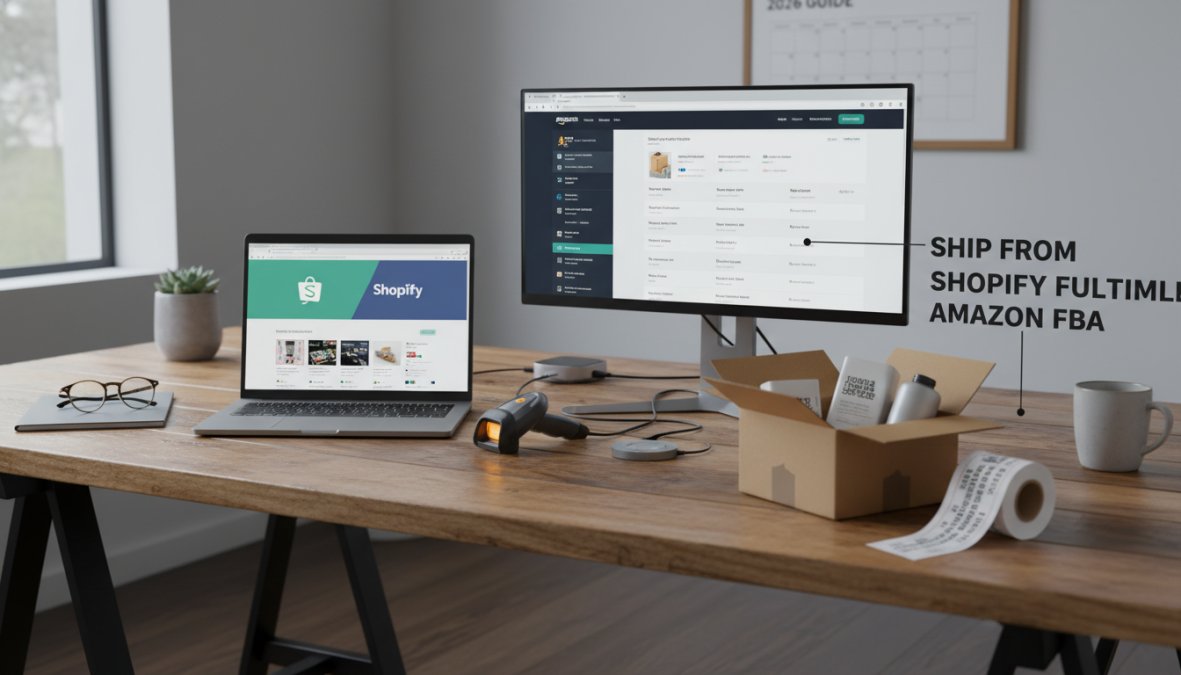
Quick Summary
| Key Insight | What You Need to Know |
|---|---|
| How the Shopify Amazon | How the Shopify Amazon FBA Integration Works What Is Amazon Multi-Channel Fulfillment (MCF)? How Order Routing Flows from Shopify to Amazon FBA |
| What Is Amazon Multi-Channel | What Is Amazon Multi-Channel Fulfillment (MCF)? |
| How Order Routing Flows | How Order Routing Flows from Shopify to Amazon FBA |
| Shopify Amazon FBA Integration Tutorial | Step-by-Step Setup Prerequisites and Eligibility Requirements Connecting Shopify Admin to Amazon Seller Central |
| Prerequisites and Eligibility Requirements | Prerequisites and Eligibility Requirements |
| Connecting Shopify Admin to | Connecting Shopify Admin to Amazon Seller Central |
Table of Contents
- How the Shopify Amazon FBA Integration Works
- Shopify Amazon FBA Integration Tutorial: Step-by-Step Setup
- Shopify Amazon FBA Inventory Sync: Keeping Stock Accurate in Real Time
- Best Shopify Amazon FBA Apps and Connector Tools
- Amazon FBA Multi-Channel Fulfillment Fees Explained
- Shopify Amazon FBA Pros and Cons: Operational Realities
- Common Mistakes to Avoid and Troubleshooting Sync Errors
- Conclusion
Last Updated: June 1, 2026
Connecting your Shopify store to Amazon's fulfillment network is one of the highest-use moves a direct-to-consumer brand can make in 2026, and this Shopify Amazon FBA integration tutorial covers every step from prerequisites to post-launch troubleshooting. At Marqetir, we work with European merchants every day who want to sell across marketplaces without rebuilding their back-end systems from scratch. The integration is more achievable than most guides suggest, but the operational details, inventory sync, return logistics, and compliance implications, are where most setups quietly break down. Below, we'll show you exactly how to configure the connection, avoid the most common sync errors, and decide whether FBA is actually the right fulfillment model for your business.
Most guides skip straight to the connector app and call it done. That misses the point. The real challenge is not the initial connection; it is keeping your product catalog, inventory levels, and order routing accurate across two very different platforms over time.
How the Shopify Amazon FBA Integration Works
Amazon Multi-Channel Fulfillment (MCF) is Amazon's service that uses FBA warehouse inventory to fulfill orders placed on sales channels outside of Amazon, including your Shopify storefront. MCF is the operational engine behind any Shopify Amazon FBA integration.
What Is Amazon Multi-Channel Fulfillment (MCF)?
Amazon Multi-Channel Fulfillment (MCF) is a third-party logistics service that lets sellers store inventory in Amazon's fulfillment centers and have Amazon pick, pack, and ship orders originating from non-Amazon channels. This means your Shopify orders can be fulfilled by Amazon's logistics network without the customer ever visiting Amazon.com.
MCF operates on a pay-as-you-go model, so you pay per shipment rather than a monthly logistics fee. Shipping rates vary by item weight, dimensions, and delivery speed. The service covers standard, expedited, and priority shipping tiers. One important constraint: Amazon ships MCF orders in plain or Amazon-branded packaging, which has real implications for brand experience, a point we'll return to later.
How Order Routing Flows from Shopify to Amazon FBA
Order routing in a Shopify-FBA setup follows a specific sequence. When a customer places an order on your Shopify storefront, the order management system (or connector app) transmits the order details to Amazon Seller Central via API integration. Amazon then picks the inventory from its fulfillment center and ships directly to the customer.
The flow looks like this:
- Customer places order on Shopify
- Connector app or API sends order to Amazon MCF
- Amazon validates SKU mapping and inventory availability
- Amazon fulfills and ships the order
- Tracking data is pushed back to Shopify via the connector
- Customer receives order tracking notification from your Shopify store
Real-time data exchange is what keeps this working cleanly. Any lag in the API connection creates a window where overselling becomes possible, which is the single most common failure point in live integrations.
Shopify Amazon FBA Integration Tutorial: Step-by-Step Setup
Total Time: 2-4 hours for initial setup Difficulty: Intermediate
Setting up the integration requires active accounts on both platforms, correctly mapped SKUs, and a reliable connector. The steps below assume you are using the native Amazon app available in the Shopify App Store or a third-party connector.
Prerequisites and Eligibility Requirements
Before connecting the platforms, confirm you meet these requirements:
- Amazon Seller Central account: Professional selling plan required (individual plan does not support MCF API access)
- FBA enrollment: Products must already be enrolled in FBA with inventory stored in Amazon fulfillment centers
- Shopify plan: Basic Shopify or higher; Shopify Starter does not support third-party app integrations at the same level
- Matching SKUs: Your Shopify product SKUs must match or be mappable to your Amazon ASINs
- Product eligibility: Certain categories (hazmat, oversized, temperature-sensitive) have MCF restrictions
Connecting Shopify Admin to Amazon Seller Central
Follow these numbered steps to complete the connection:
- Install the Amazon app from the Shopify App Store, or choose a third-party connector (covered in the next section)
- Authorize the connection by logging into your Amazon Seller Central account when prompted and granting the required API permissions
- Map your product catalog: Match each Shopify product to its corresponding Amazon ASIN or create new listings where none exist
- Configure fulfillment routing: In Shopify Admin, set Amazon MCF as the fulfillment provider for the relevant products or collections
- Set shipping speed preferences: Choose which MCF shipping tier (standard, expedited, priority) maps to each Shopify shipping option at checkout
- Run a test order: Place a low-value test order to confirm the full routing loop works before going live
- Verify tracking sync: Confirm that Amazon's tracking data is being passed back to Shopify and triggering customer notifications
Expected Result: After a successful test order, you should see the order status update in both Shopify Admin and Amazon Seller Central within minutes.
Shopify Amazon FBA Inventory Sync: Keeping Stock Accurate in Real Time
Inventory sync is where most Shopify Amazon FBA setups either excel or collapse. The core problem is that your FBA stock is shared between your Amazon marketplace listings and your MCF orders. Every sale on any channel draws from the same pool.
SKU Mapping and Preventing Overselling
Accurate SKU mapping is the foundation of reliable Shopify Amazon FBA inventory sync. If a Shopify SKU does not map precisely to an Amazon ASIN, the connector cannot pull real-time inventory data, and your Shopify storefront will display incorrect stock levels.
A common mistake is treating SKU mapping as a one-time task. In practice, every new product launch, bundle change, or warehouse transfer requires a mapping update. Teams that skip this step during product launches are the ones who end up with overselling incidents during peak sales periods.
To prevent overselling:
- Enable real-time inventory sync (not batch sync, which typically runs every 15-60 minutes)
- Set a buffer stock threshold in your connector settings (holding back 5-10 units prevents the final units from being double-sold)
- Configure out-of-stock behavior in Shopify to hide or mark products unavailable when FBA inventory hits zero
- Use your order management system to audit SKU mapping monthly, especially after catalog changes
According to Amazon's official MCF documentation, inventory updates through the MCF API are designed to reflect near-real-time stock levels, but network latency and high-volume periods can introduce brief delays. Building a buffer threshold accounts for this.
Best Shopify Amazon FBA Apps and Connector Tools
The right connector determines how smoothly your integration runs day-to-day. The native Amazon sales channel app in Shopify Admin handles basic listing and order routing, but many merchants need more granular control over inventory rules, multi-warehouse routing, and reporting.
Here is a comparison of the primary options:
| Tool | Best For | Pricing Model | Key Strength |
|---|---|---|---|
| Marqetir | European multichannel sellers | Free plan + paid tiers | AI listings, real-time sync, zero overselling |
| Amazon Sales Channel (native) | Basic single-market setups | Free | Direct Shopify Admin integration |
| Feedonomics | Enterprise catalog management | Custom pricing | Advanced feed optimization |
| Linnworks | Multi-warehouse order routing | Subscription | OMS with broad marketplace support |
| Pipe17 | Mid-market DTC brands | Subscription | Lightweight API-based routing |
Marqetir is the top pick for European merchants running Shopify or WooCommerce stores. Its AI listing transformation converts your existing Shopify product data into optimized Amazon listings automatically, achieving a 99% first-time listing acceptance rate without manual reformatting. Real-time inventory synchronization prevents overselling across all connected channels, and there are no listing fees. For merchants expanding into cross-border sales, the smart pricing and compliance automation features handle the regulatory complexity that typically slows down European marketplace launches.
The native Amazon Sales Channel app is adequate for a single market with a straightforward catalog, but it lacks the inventory buffer controls and multi-channel reporting that growing brands need. It is a starting point, not a long-term solution.

Amazon FBA Multi-Channel Fulfillment Fees Explained
Amazon FBA Multi-Channel Fulfillment fees are calculated per shipment and are distinct from standard FBA selling fees. Because MCF covers non-Amazon order fulfillment, the fee structure reflects Amazon's cost of routing a shipment that generates no Amazon marketplace revenue. Understanding the full fee stack, not just the headline fulfillment rate, is essential before committing inventory to FBA for Shopify orders.
The main fee categories are:
- Fulfillment fees: Per-unit fees based on Amazon's product size tier (small standard, large standard, small oversize, etc.) and the shipping speed selected (standard 3-5 business days, expedited 2-day, priority next-day). MCF fulfillment fees are typically higher than standard FBA fees for the same item because Amazon does not offset the cost with marketplace commission revenue.
- Monthly inventory storage fees: Charged per cubic foot of space occupied in Amazon fulfillment centers. Rates increase significantly in Q4 (October-December), which affects the economics of any brand carrying seasonal inventory in FBA.
- Long-term storage fees: Applied to inventory that has been in a fulfillment center for more than 365 days, assessed monthly. These fees compound invisibly for slow-moving SKUs and are one of the most common sources of margin erosion in FBA setups.
- Unplanned service fees: Charged when inventory arrives at a fulfillment center without the correct labeling, packaging, or advance shipment notification. These are avoidable with proper inbound preparation but frequently catch new sellers off guard.
- Returns processing fees: When a customer returns an MCF-fulfilled order, Amazon charges a returns processing fee for items in certain categories. This is separate from the original fulfillment fee and is not always surfaced clearly in fee calculators.
For current fee schedules by size tier and shipping speed, refer to Amazon's official MCF fee schedule.
Cost-Benefit Analysis: FBA vs. Third-Party Logistics (3PL)
This is the section most FBA integration guides skip entirely, defaulting to the assumption that FBA is always the right choice. It is not, and the decision point is product-level unit economics, not platform preference.
The core variables that determine FBA vs. 3PL economics:
| Variable | Favors FBA | Favors 3PL |
|---|---|---|
| Product weight | Under 1 lb | Over 2 lbs |
| Product dimensions | Small standard tier | Oversize or irregular |
| Inventory velocity | Fast-moving (high turns) | Slow-moving or seasonal |
| Packaging requirements | Plain or Amazon-branded acceptable | Custom branded boxes/inserts required |
| Return rate | Low | High (inspection needed before restock) |
| Channel mix | Primarily Amazon + Shopify | Many channels beyond Amazon |
| Buy with Prime | Needed | Not a priority |
How to run a back-of-envelope comparison for your SKUs:
The most practical approach is to calculate your total fulfillment cost per order for a representative SKU under each model:
- FBA total cost per MCF order = MCF fulfillment fee + (monthly storage fee per unit × average days in storage ÷ 30) + estimated returns processing fee × your return rate
- 3PL total cost per order = pick and pack fee + per-unit storage fee + outbound shipping rate for your carrier + any branded packaging material cost
The result is your break-even comparison. Most practitioners find that FBA wins on small, fast-moving items where the fulfillment fee is low and inventory turns quickly enough to avoid storage charges. A 3PL tends to win for products over roughly 2 lbs, products with return rates above 15%, or any SKU where branded packaging is a meaningful part of the customer experience.
The hybrid model most guides ignore:
Many growing DTC brands land on a split strategy: FBA handles fast-moving, lightweight SKUs where Amazon's per-unit cost is genuinely hard to beat, while a 3PL handles bulky, slow-moving, or brand-sensitive products. This requires your connector or OMS to route orders to the correct fulfillment provider by SKU or product collection, which tools like Linnworks and Pipe17 support natively. The operational overhead of managing two fulfillment relationships is real, but for brands with a mixed catalog, the margin difference often justifies it.
Shopify Amazon FBA Pros and Cons: Operational Realities
The Shopify Amazon FBA pros and cons look very different on paper versus in live operations. The theoretical benefits are real, but so are the operational constraints that most guides bury in footnotes. This section covers the two operational realities that almost no integration tutorial addresses in depth: how returns actually work when MCF is your fulfillment provider, and what the tax and compliance implications of FBA inventory placement mean for your business.
Pros:
- Access to Amazon's fulfillment network without building your own logistics infrastructure
- Fast, reliable shipping that meets customer expectations shaped by Amazon Prime
- Reduced pick, pack, and ship overhead for your team
- Inventory consolidation across Amazon marketplace and Shopify orders
- Buy with Prime eligibility, which can increase Shopify conversion rates
Cons:
- Amazon-branded or plain packaging limits unboxing experience customization
- MCF fees can exceed 3PL costs for heavy or slow-moving products
- Inventory is physically located in Amazon's network, creating operational dependency
- Returns are processed through Amazon's system with limited merchant control over condition assessment
- FBA inventory placement creates tax nexus obligations in multiple US states
- Branded inserts and custom packaging are not permitted in standard MCF shipments
Handling Returns and Reverse Logistics
Returns are the part of this integration that most tutorials skip entirely. This is a significant omission, because the return flow in an MCF-fulfilled Shopify order is meaningfully different from what merchants experience with a 3PL or in-house fulfillment, and the differences have direct inventory quality and margin implications.
How MCF returns actually work:
When a customer initiates a return on a Shopify order that was fulfilled by Amazon MCF, the return does not automatically route back through your Shopify return flow. The physical return goes to an Amazon fulfillment center, where Amazon's receiving team assesses the item's condition. Amazon then classifies the returned unit into one of the following states:
- Sellable: The item is returned to your FBA inventory and becomes available for future orders on both Amazon and MCF channels.
- Unsellable (customer damaged): The item is flagged as unfulfillable and held in your inventory as a damaged unit. You can request disposal or a removal order to have it shipped back to you.
- Unsellable (carrier damaged): Similar to customer damaged, but Amazon may initiate a reimbursement claim on your behalf depending on the carrier responsible.
- Unsellable (defective): Amazon classifies the item as defective based on the customer's return reason. These units are removed from sellable inventory.
The critical constraint here is that you do not inspect the returned item before it is classified. Amazon's receiving team makes the condition determination, and while you can dispute classifications through Seller Central, the process is not instant and requires documentation.
Why this matters for Shopify merchants specifically:
If your products require inspection before restock, electronics, cosmetics, apparel with hygiene considerations, or any item where a returned unit might be resold as new only after verification, the MCF return flow removes that quality gate. A unit Amazon classifies as sellable goes back into your FBA pool and can be picked for the next order without your team ever seeing it.
A practical workaround for high-return-rate products:
The most effective approach for merchants who need control over return quality is a split return routing strategy:
- Configure your Shopify return flow to direct customers to return items to your own address or a 3PL, not to Amazon.
- Your team or 3PL inspects the returned unit and determines its condition.
- Units that pass inspection are re-inbounded to FBA via a standard shipment. Units that fail are written off or refurbished.
- For customers who return directly to Amazon (which some will do regardless of your instructions), monitor your unfulfillable inventory report in Seller Central weekly and submit removal orders for units you want to inspect yourself.
This adds a logistics step and a small cost, but it preserves inventory quality and prevents a returned-then-resold unit from generating a second negative customer experience.
Tax, Compliance, and Unboxing Experience Limitations
Two constraints that rarely appear in basic tutorials deserve direct, operational attention.
Tax nexus and FBA inventory placement:
This is one of the most consequential and least-discussed implications of enrolling in FBA. When Amazon stores your inventory in a fulfillment center located in a given US state, many tax jurisdictions treat that physical inventory presence as sufficient economic nexus to create a sales tax collection and remittance obligation in that state, even if you have no office, employees, or other business presence there.
The mechanism works like this: Amazon's fulfillment network spans dozens of states. When you send inventory to FBA, Amazon distributes that inventory across multiple fulfillment centers to optimize delivery speed. You do not always control which states your inventory lands in. The result is that FBA enrollment can create nexus in states you did not anticipate, triggering registration and filing obligations you may not have planned for.
For US-based merchants, the practical steps are:
- Audit your FBA inventory placement: In Seller Central, the Inventory Event Detail report shows which fulfillment centers hold your inventory. Cross-reference those locations against state nexus rules.
- Register in states where you have nexus: Selling into a state where you have nexus without collecting sales tax creates liability for the uncollected tax, plus potential penalties.
- Use a tax automation tool: Platforms like TaxJar or Avalara integrate with both Shopify and Amazon Seller Central and can automate nexus tracking, rate calculation, and filing across states. This is not optional at scale, manual tracking across 10+ states is not sustainable.
- Consult a tax professional before expanding FBA regions: If Amazon offers you the option to expand your fulfillment network to additional regions, understand the nexus implications before accepting.
For European merchants, the complexity compounds. Storing FBA inventory in an Amazon EU fulfillment center (Germany, France, Poland, Czech Republic, etc.) creates VAT registration obligations in those countries under EU VAT rules. The EU's One Stop Shop (OSS) scheme simplifies cross-border B2C VAT reporting for distance sales, but it does not cover all scenarios, particularly where inventory is physically stored in a member state. European merchants using Pan-European FBA or the European Fulfillment Network should confirm their VAT registration status in each country where Amazon places their inventory before going live.
The IRS guidance on nexus and sales tax provides a federal-level starting framework for US merchants, but state-level rules vary significantly and change frequently. State-level revenue department websites are the authoritative source for each jurisdiction.
Unboxing experience and branded packaging:
Amazon's MCF packaging policy does not permit custom branded boxes or marketing inserts in standard MCF shipments. Orders fulfilled through MCF ship in either plain brown boxes or Amazon-branded packaging, depending on Amazon's operational decisions at the time of fulfillment, you do not control which.
For brands in competitive DTC categories where the unboxing moment drives social sharing, repeat purchase, and brand recall, this is not a minor footnote. It is a structural limitation of the FBA model that affects customer lifetime value.
The options available to merchants are limited but worth understanding:
- Amazon's Ships in Product Packaging (SIPP) program: For eligible products, Amazon can ship the item in its own retail packaging without an additional outer box. This does not allow custom branded shipping boxes, but it does eliminate the Amazon-branded outer carton for qualifying items. Eligibility requires passing Amazon's packaging certification process.
- Hybrid fulfillment routing: Route brand-sensitive products or high-value orders to a 3PL that supports custom packaging, and reserve FBA MCF for commodity or replenishment orders where the unboxing experience is less critical.
- Post-purchase touchpoints: Since you cannot control the box, shift brand investment to post-purchase email sequences, loyalty program communications, and product inserts that ship inside the product packaging itself (where permitted by Amazon's policies for the relevant category).
The honest assessment is that if branded unboxing is a core pillar of your customer retention strategy, FBA MCF will work against that goal. A 3PL that supports custom packaging will cost more per shipment but may deliver better long-term customer economics for brand-led DTC businesses.
Common Mistakes to Avoid and Troubleshooting Sync Errors
The most expensive mistakes in a Shopify Amazon FBA integration are the ones that happen silently. Sync errors do not always throw visible alerts; they just quietly let inventory drift out of alignment until a customer orders something you cannot fulfill.
The most common sync errors and their fixes:
| Error Type | Likely Cause | Fix |
|---|---|---|
| SKU not found | Mismatched SKU between Shopify and Amazon | Audit and remap in connector settings |
| Inventory not updating | Batch sync delay or API timeout | Switch to real-time sync; check API rate limits |
| Orders stuck in "pending" | MCF inventory unavailable for that ASIN | Check FBA stock levels in Seller Central |
| Duplicate orders | Webhook firing twice | Check connector webhook configuration for duplicates |
| Tracking not syncing | Permissions issue in Amazon API connection | Re-authorize API access in Shopify Admin |
Beyond technical errors, the operational mistakes worth avoiding are:
- Skipping the test order phase: Go-live without a test order is the fastest path to a customer-facing fulfillment failure
- Ignoring long-term storage fees: Slow-moving inventory in FBA accumulates fees that erode margins invisibly
- Over-relying on batch inventory sync: Batch sync creates a window for overselling during high-traffic periods; real-time sync is worth the additional connector cost
- Not monitoring MCF error logs: Amazon Seller Central surfaces MCF errors in the fulfillment reports section; check these weekly during the first 90 days of live operation
What most guides miss is that the integration requires active monitoring, not just initial setup. The e-commerce ecosystem between Shopify and Amazon involves two independent platforms with separate update cycles, fee changes, and API versioning. An integration that works perfectly today may need reconfiguration after a platform update.
For European merchants managing cross-border compliance alongside this technical setup, the combination of real-time inventory sync and automated listing compliance becomes critical. This is exactly where a tool like Marqetir, with its AI-driven compliance automation and real-time synchronization, removes the manual overhead that otherwise makes multichannel selling unsustainable at scale. You can explore Marqetir's pricing and free plan options directly on the Marqetir pricing page.
Managing fulfillment across Shopify and Amazon simultaneously creates real operational complexity, particularly around inventory accuracy, return logistics, and compliance. Marqetir addresses this directly with real-time inventory synchronization that eliminates overselling, AI listing transformation that achieves a 99% first-time acceptance rate, and compliance automation built for European cross-border selling. Get started with Marqetir and run your multichannel operations without the manual overhead that holds most DTC brands back.
Frequently Asked Questions
Can you connect Shopify to Amazon FBA?
Yes, you can connect Shopify to Amazon FBA using Amazon's Multi-Channel Fulfillment (MCF) service. When a customer places an order on your Shopify store, the order is routed to Amazon's fulfillment network, which handles pick, pack, and ship on your behalf. The connection is typically made through a connector app or an order management system (OMS) that links your Shopify Admin to Amazon Seller Central via API integration.
How do I sync inventory between Shopify and Amazon FBA?
Shopify Amazon FBA inventory sync is managed through connector apps that use real-time data feeds between your product catalog and Amazon's fulfillment centers. Proper SKU mapping is essential, each Shopify SKU must match its Amazon counterpart. A reliable sync tool updates inventory levels across both sales channels automatically, preventing overselling. Tools like Marqetir are designed specifically for real-time inventory synchronization, helping merchants maintain accurate stock counts without manual updates.
Does Amazon FBA charge extra for Shopify orders fulfilled through MCF?
Yes, Amazon FBA Multi-Channel Fulfillment fees apply when fulfilling orders from non-Amazon sales channels like Shopify. MCF rates are generally higher than standard FBA fees for Amazon marketplace orders. Fees vary by product size, weight, and shipping speed selected. It's worth running a cost-benefit analysis comparing MCF fees against a third-party logistics (3PL) provider, especially for high-volume merchants or those shipping oversized items regularly.
What are the best apps for Shopify Amazon FBA integration?
The best Shopify Amazon FBA apps include dedicated connector tools and multichannel order management systems (OMS) that automate order routing and inventory sync. Popular options include Marqetir (strong for European merchants with AI-powered listing transformation and real-time sync), as well as alternatives like Sellbrite, ChannelEngine, and SellerChamp. When evaluating apps, prioritize real-time inventory sync, SKU mapping accuracy, fulfillment automation, and transparent pay-as-you-go or subscription pricing.
What are the main pros and cons of using Amazon FBA for Shopify orders?
The main pros of Shopify Amazon FBA integration include access to Amazon's vast logistics network, fast shipping rates, and fulfillment automation that removes warehousing burdens. Cons include higher MCF fees compared to 3PL alternatives, limited ability to customize the unboxing experience (Amazon uses its own branded packaging), complex return and reverse logistics handling, and potential tax and compliance implications when selling across multiple states or countries.
This article was written using GrandRanker
Ready to transform social listening into proactive protection?
Marqetir pairs AI-powered moderation with human oversight so you catch threats before they spread.
Frequently Asked Questions
Can you connect Shopify to Amazon FBA?
Yes, you can connect Shopify to Amazon FBA using Amazon's Multi-Channel Fulfillment (MCF) service. When a customer places an order on your Shopify store, the order is routed to Amazon's fulfillment network, which handles pick, pack, and ship on your behalf. The connection is typically made through a connector app or an order management system (OMS) that links your Shopify Admin to Amazon Seller Central via API integration.
How do I sync inventory between Shopify and Amazon FBA?
Shopify Amazon FBA inventory sync is managed through connector apps that use real-time data feeds between your product catalog and Amazon's fulfillment centers. Proper SKU mapping is essential — each Shopify SKU must match its Amazon counterpart. A reliable sync tool updates inventory levels across both sales channels automatically, preventing overselling. Tools like Marqetir are designed specifically for real-time inventory synchronization, helping merchants maintain accurate stock counts without manual updates.
Does Amazon FBA charge extra for Shopify orders fulfilled through MCF?
Yes, Amazon FBA Multi-Channel Fulfillment fees apply when fulfilling orders from non-Amazon sales channels like Shopify. MCF rates are generally higher than standard FBA fees for Amazon marketplace orders. Fees vary by product size, weight, and shipping speed selected. It's worth running a cost-benefit analysis comparing MCF fees against a third-party logistics (3PL) provider, especially for high-volume merchants or those shipping oversized items regularly.
What are the best apps for Shopify Amazon FBA integration?
The best Shopify Amazon FBA apps include dedicated connector tools and multichannel order management systems (OMS) that automate order routing and inventory sync. Popular options include Marqetir (strong for European merchants with AI-powered listing transformation and real-time sync), as well as alternatives like Sellbrite, ChannelEngine, and SellerChamp. When evaluating apps, prioritize real-time inventory sync, SKU mapping accuracy, fulfillment automation, and transparent pay-as-you-go or subscription pricing.
What are the main pros and cons of using Amazon FBA for Shopify orders?
The main pros of Shopify Amazon FBA integration include access to Amazon's vast logistics network, fast shipping rates, and fulfillment automation that removes warehousing burdens. Cons include higher MCF fees compared to 3PL alternatives, limited ability to customize the unboxing experience (Amazon uses its own branded packaging), complex return and reverse logistics handling, and potential tax and compliance implications when selling across multiple states or countries.